
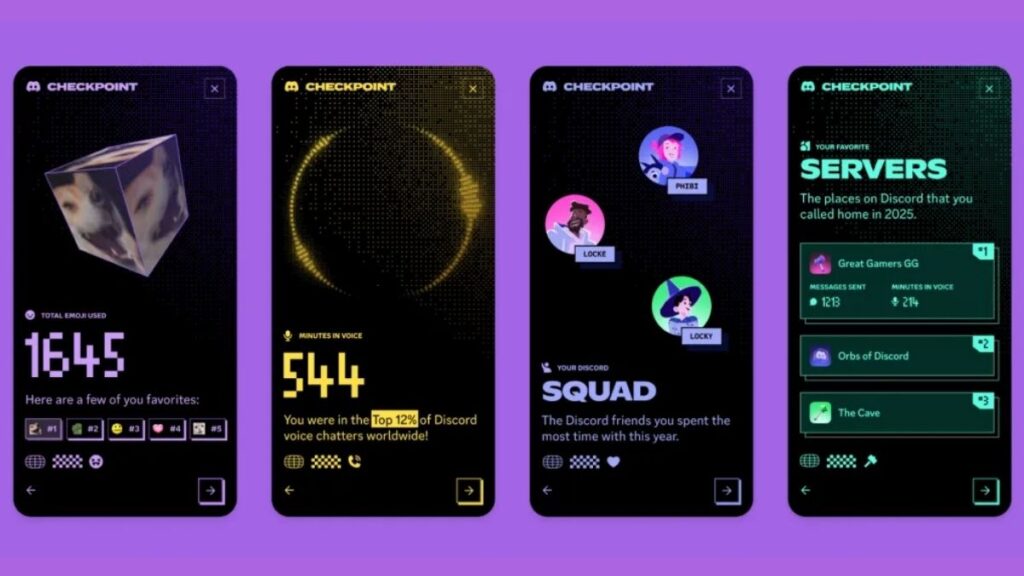
Discord has introduced Discord Checkpoint 2025, its new year-end recap feature, similar to Spotify Wrapped. This exciting tool gives users a complete snapshot of their activity throughout the year, from total messages sent to hours spent in voice channels, and even your most used emojis. Checkpoint lets you see your Discord year in a detailed and fun way. If you’re wondering how to check Discord Checkpoint 2025, here’s a step-by-step guide to get started.
Discord Checkpoint 2025 is a personalized recap that shows your total messages sent in DMs and servers, hours spent in voice channels, top emojis, the server and friends you interacted with most, and highlights like badges or avatar decorations earned. It’s Discord’s way of helping users reflect on their engagement and community activity over the past year. For more information on this update, you can check The Verge.
Also Read : Samsung Galaxy S25 FE Review: Full Specs, Detailed Camera Analysis, Battery & Performance Breakdown
To access Checkpoint, first make sure your Discord app is updated to the latest version on mobile or desktop, as older versions may not support this feature. Launch the app and log in to your account, then navigate to the Checkpoint section. On mobile, tap your profile icon and look for Checkpoint 2025 in the menu. On desktop, click your profile and select Year in Review / Checkpoint. Once you open Checkpoint, you’ll see a detailed summary of your yearly activity, including metrics like total messages, hours in voice channels, top emojis, your most active server, your top friend, and any special highlights like badges or avatar rewards.
| Metric | What It Shows |
|---|---|
| Total Messages | Messages sent in DMs & servers |
| Voice Channel Time | Hours spent talking in voice channels |
| Top Emoji | Most used emoji of 2025 |
| Top Server | Server with most engagement |
| Top Friend | Friend you interacted with most |
| Special Highlights | Any badges or avatar rewards earned |
To make the most of your Checkpoint, consider sharing your Discord Wrapped with friends or on social media, reflecting on your engagement to see which servers or friends you enjoyed the most, and customizing your profile based on the badges or rewards you earned. For a deeper dive into community stats, check Economic Times.
Common questions about Checkpoint include whether it’s available on all platforms, and it is—it works on both mobile and desktop. Currently, Checkpoint covers only the year 2025, and your data is private unless you choose to share it.
Discord Checkpoint 2025 is more than a fun summary; it’s a way to understand your engagement patterns, celebrate your most active servers and friends, and discover your favorite emojis and badges. This feature helps you reflect on your year on Discord and plan your community activity for 2026.
In conclusion, Discord Checkpoint 2025 is a must-try for every active user. Whether you’re curious about your messages sent, hours in voice channels, or top emojis, this feature gives a clear picture of your Discord year. Don’t miss out—check your Discord Wrapped today and see your 2025 activity like never before! For more Discord insights, explore and stay updated with the Discord official blog.